
If you’re evaluating VICIdial installation for your contact center, you’re already ahead of most businesses still stuck with expensive, closed-source dialer platforms. VICIdial is the world’s most widely deployed open-source contact center suite, and with VICIdial configured correctly, it can rival – and outperform – dialers costing five times as much in licensing fees.
At KingAsterisk Technologies, we’ve spent years installing, configuring, and deploying VICIdial for inbound and outbound contact centers across the globe – from 10-seat startups to 500-agent enterprise floors. In this guide, we’ll walk through what VICIdial actually is, how installation works in 2026, what it costs, and why professional deployment support matters more than a DIY tutorial ever will.
What Is VICIdial Software?
What is VICIdial software? In simple terms, VICIdial is a free, open-source contact center suite built on top of Asterisk (the open-source PBX engine) and a MySQL/MariaDB database backend. It combines a predictive dialer, inbound ACD queuing, IVR, call recording, real-time reporting, and agent management into a single platform.
Originally developed in the mid-2000s, VICIdial has grown into a mature, actively maintained system trusted by BPOs, collection agencies, insurance verification centers, appointment-setting companies, and enterprise support desks worldwide. Because it’s open-source, there’s no per-seat licensing fee – you only pay for hosting, hardware, telephony, and (optionally) professional configuration and support.
What Is VICIdial Used For?
What is VICIdial used for? VICIdial supports both outbound and inbound operations, which is exactly why it fits so well in blended contact centers:
- Outbound campaigns – predictive, power, and progressive dialing modes with automatic answering machine detection (AMD), so agents only connect to live human contacts
- Inbound queuing – automatic call distribution (ACD) with skills-based routing, priority queuing, and overflow handling
- IVR systems – multi-level self-service menus, database-driven call flows, and voice automation
- Compliance management – DNC list scrubbing and TCPA-aligned dialing controls for regulated outbound campaigns
- CRM integration – connecting external CRMs so agents get real-time screen pops and lead data without leaving their workflow
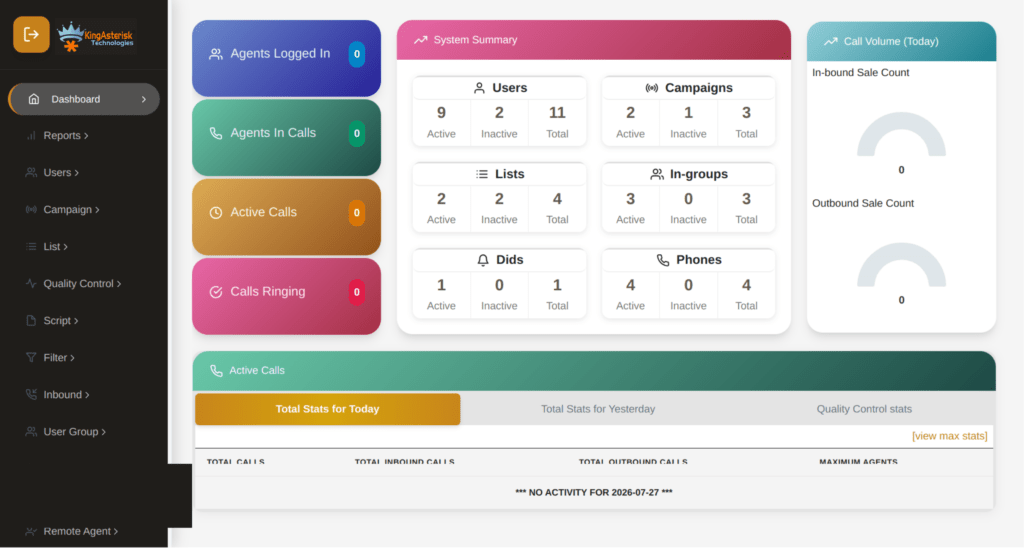
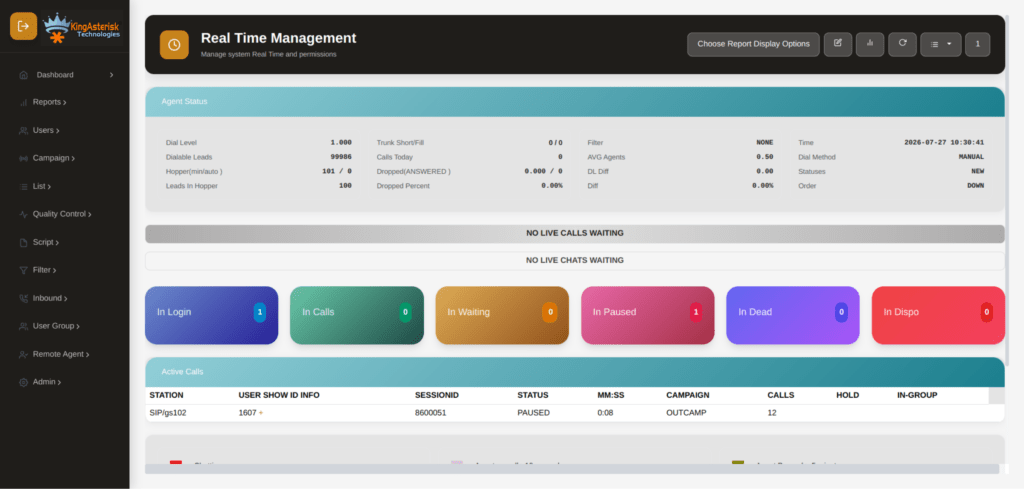
- Reporting and analytics – real-time dashboards covering agent talk time, disposition codes, campaign penetration, and hopper status
Because of this range, VICIdial is used just as often for pure inbound support desks as it is for outbound sales floors – and increasingly for blended operations that need both.
VICIdial Cost: What Should You Actually Budget For?
How much does VICIdial cost? This is the question every prospective buyer asks first, and the honest answer is: the software itself is free, but a production-grade deployment isn’t.
Here’s where your budget actually goes:
- Server hardware – Intel or AMD-based servers sized to your concurrent call volume and recording retention needs
- Telephony costs – SIP trunking, DID numbers, and carrier minutes
- Installation and configuration services – getting Asterisk, VICIdial, and the database layer correctly tuned for your call volume
- Ongoing support – patching, monitoring, failover configuration, and troubleshooting
- Custom development (optional) – CRM integrations, custom reporting, or a rebranded agent interface
Businesses that try to install VICIdial themselves to “save money” often end up spending more later fixing misconfigured dialer ratios, database bottlenecks, or compliance gaps. Professional installation is almost always the cheaper path over a 12-month horizon.
VICIdial Download: Where to Get It
VICIdial download and VICIdial download for windows are both common searches – but it’s important to clear up a misconception here.
VICIdial is designed to run on Linux. It is not a Windows application, and there is no native VICIdial installation on Windows 10 or Windows Server build. If your search brought you here looking for a Windows-compatible dialer, the realistic path is either running a Linux virtual machine on your Windows hardware.
The far more practical route – hosting VICIdial on your dedicated Linux server while your team accesses the agent and admin interfaces through any standard web browser, including on Windows machines.
The actual VICIdial source code is distributed through the official VICIdial SVN repository, while VICIBox – a pre-packaged Linux distribution with VICIdial, Asterisk, and MySQL bundled together – is the fastest path to a working install for most deployments
Can You Run VICIdial Installation on Mac?
Similarly, a VICIdial installation on Mac isn’t a standard supported path either. macOS isn’t a target platform for the Asterisk telephony engine that VICIdial depends on. Mac users typically either run a Linux VM locally for testing, or – for any real production deployment – connect to your dedicated Linux server, since the agent and supervisor interfaces are entirely browser-based and work identically on macOS, Windows, or Linux desktops.
How to Install VICIdial on Ubuntu – Step by Step (2026 Guide)
Ubuntu remains one of the most common bases for manual VICIdial builds, alongside AlmaLinux and CentOS-based VICIBox images. Here’s the general shape of how to install VICIdial on Ubuntu step by step in 2026:
Step 1: Prepare the server Start with a clean Ubuntu Server LTS installation on hardware or a VPS with adequate CPU cores, RAM, and disk I/O for your expected concurrent call volume. Disable unnecessary services and confirm you have a static, dedicated IP address – this is non-negotiable for reliable SIP registration and carrier trunking.
Step 2: Install core dependencies This includes Apache or a compatible web server, PHP, and the build tools required to compile Asterisk from source.
Step 3: Install and compile Asterisk Download and compile the Asterisk version compatible with your target VICIdial release. This step is where most DIY installs go wrong – mismatched Asterisk and VICIdial versions cause dialer instability down the line.
Step 4: Install MySQL/MariaDB and import the VICIdial schema The database layer stores every lead, campaign, disposition, and call record. Getting replication and indexing right here matters enormously once you scale past a handful of agents.
Step 5: Pull the VICIdial codebase via SVN Check out the correct stable branch of the VICIdial source and place it in the correct web directory structure.
Step 6: Configure Asterisk dialplan and SIP/PJSIP settings Connect your carrier trunks, set up your DID routing, and configure codecs.
Step 7: Run the astGUIclient installer This ties Asterisk, the database, and the web-based admin panel together into a functioning VICIdial system.
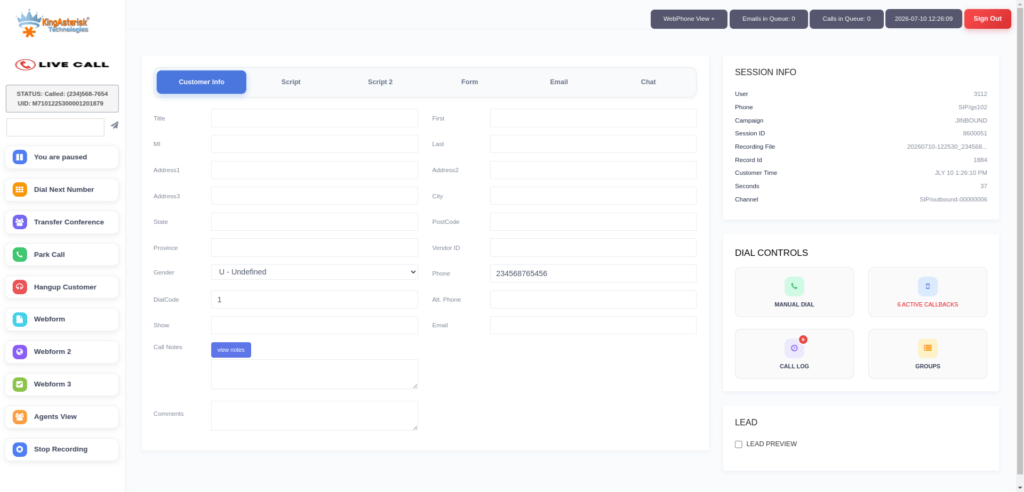
Step 8: Configure your first campaign, list, and agent users Test dialing modes, recording, and disposition codes with a small internal test group before going live.
Step 9: Lock down security Change every default credential immediately – this is the single highest-risk vulnerability in any fresh contact center deployment.
If you’d rather have this handled correctly the first time – including CentOS and VICIdial installation on CentOS 9-based builds – our engineers can complete the entire process, or provide a documented VICIBox install with your existing environment in mind.
Looking for a VICIdial Installation Step-by-Step PDF or VICIdial Documentation?
Many teams search for a VICIDial installation step by step PDF or official VICIdial documentation hoping for a single authoritative reference. The reality is that VICIdial’s official documentation is spread across community wikis, changelogs, and forum threads that assume a working knowledge of Linux server administration.
That’s exactly the gap KingAsterisk fills – we translate scattered documentation into a working, production-tested deployment tailored to your carrier setup, agent count, and compliance requirements, rather than a generic PDF that may not match your specific VICIdial or Asterisk version.
Server Requirements for VICIdial Installation
Before any installation begins, server sizing is the first conversation we have with clients.
- Hardware Suggested Based on Requirements
- Intel & AMD Hardware Options Available
- Installation & Configuration Support
- Compatible with Multiple Server Environments
- AlmaLinux Server Required from Client Side
- Dedicated IP Required for Setup
- Server Access Needed for Installation
- Installation Support Provided
We also support Ubuntu and general Linux-based environments for Asterisk-powered contact center deployments where AlmaLinux isn’t the target platform.
Why Professional VICIdial Installation Beats DIY
VICIdial’s open-source nature is its biggest strength and, paradoxically, its biggest risk for self-managed installs. A misconfigured dialer ratio can trigger regulatory penalties. A poorly tuned MySQL/MariaDB instance can grind to a halt at exactly the call volume where you need it most. An unpatched default admin login is a genuine open door for attackers.
Our installation and configuration process covers:
- High-availability clustering – multi-node architecture with Keepalived/heartbeat failover so a single server issue doesn’t take your entire floor offline
- Database replication – MySQL/MariaDB tuned for concurrent read/write loads at scale
- SIP trunking and carrier integration – clean, tested connections to your chosen carriers
- Compliance configuration – DNC list handling and dialing pace controls
- CRM and API-ready architecture – so your VICIdial instance is ready for lead injection, disposition sync, and reporting pulls from day one
- Security hardening – credential rotation, restricted admin access, and audited user permissions
Beyond Installation: Custom VICIdial & Asterisk Development
Once your VICIdial installation is live, many clients come back for deeper customization. We provide advanced VICIdial, Asterisk, and contact center development services, including:
- Custom VICIdial GUI development with modern, React-based interfaces
- Advanced campaign management and lead distribution tools
- Custom reporting and executive dashboards covering agent performance, campaign ROI, and real-time queue statistics
- CRM integrations with platforms like Salesforce, HubSpot, Zoho, Microsoft Dynamics, and custom-built CRM systems
- WebRTC-based browser softphones for remote and hybrid agent teams
- Custom AGI and AMI-based automation for dynamic call routing and live monitoring
- Multi-level, database-driven IVR systems with text-to-speech and speech recognition
Whether you need a straightforward installation, a high-availability multi-server architecture, or a fully custom contact center platform, our team designs, deploys, and supports solutions built around your operational goals – not a one-size-fits-all template.
Inbound vs. Outbound: Configuring VICIdial for Your Call Mix
One detail that gets overlooked in generic tutorials is that inbound and outbound operations need genuinely different configuration priorities inside the same VICIdial instance.
For outbound-heavy deployments, the priority is tuning dialer ratios, AMD sensitivity, and hopper refresh rates so agents stay busy without triggering excessive abandoned-call rates. This is also where DNC list management and local call time restrictions need to be locked down before a single campaign goes live.
For inbound-heavy deployments, the configuration priority shifts toward ACD queue design, skills-based routing, IVR call flows, and overflow/voicemail handling during peak volume. Getting queue priority and agent skill tagging right up front saves significant rework later.
Most real-world contact centers run blended campaigns – agents handling inbound support calls between outbound dialing sessions – which means the system needs both sides configured correctly and tested together, not in isolation. This is one of the most common gaps we find when auditing self-installed VICIdial systems: outbound tuning is often solid, while inbound queue logic is left on default settings.
Post-Installation: Testing and Go-Live Checklist
A VICIdial installation isn’t complete the moment the admin panel loads. Before handing the system to agents, we run through a structured validation pass:
- Call quality testing across every SIP trunk and carrier route, checking for codec mismatches or one-way audio issues
- Recording verification – confirming call recordings save correctly and are retrievable from the admin panel
- Dialer ratio testing with a small internal test list before opening a live campaign
- Failover testing on high-availability clusters, simulating a node outage to confirm automatic recovery
- Permission audits – confirming agent, supervisor, and admin roles only have access to what they need
- Reporting validation – checking that campaign statistics, agent performance data, and disposition reports populate accurately in real time
Skipping this stage is one of the most common reasons DIY installations run into trouble in the first week of live calling – issues that are invisible during a quiet test environment often surface immediately under real call volume.
Frequently Asked Questions
Yes. VICIdial itself is free, open-source software. Your actual costs come from server infrastructure, telephony/carrier services, and any professional installation, configuration, or ongoing support you choose to add.
VICIdial needs a dedicated server environment with root access – shared hosting doesn’t provide the server-level control Asterisk and the dialer engine require.
Yes. VICIdial supports both an Agent API for live call control and a Non-Agent API for backend automation, which together allow lead injection, disposition sync, screen pops, and reporting pulls with virtually any CRM.
A standard single-server deployment can often be completed within a few business days once server access and requirements are confirmed. Multi-server, high-availability architectures with custom CRM integrations naturally take longer to plan, build, and test properly.
Yes, with the right architecture. Multi-node clustering, database replication, and load-balanced dialer servers allow VICIdial to scale to hundreds of concurrent agents, which is why it’s widely used by BPOs and large-scale outbound operations.
Get Your VICIdial Installation Done Right
VICIdial gives you enterprise-grade calling capability without enterprise-grade licensing costs – but only when it’s installed, configured, and secured correctly from day one. If you’re ready to move from research to deployment, KingAsterisk Technologies can handle everything from server sizing and Ubuntu or AlmaLinux installation through campaign configuration, compliance setup, and ongoing support.
Reach out to our team to discuss your server environment, agent count, and timeline – we’ll recommend the right hardware, provide a clear cost break